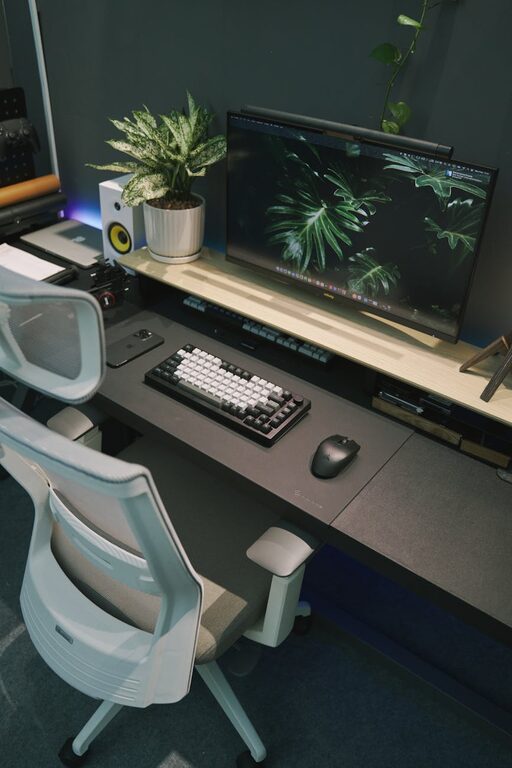
Creating a productive home office space is essential for anyone working remotely or managing tasks from home. A well-designed workspace not only improves focus but also supports comfort and efficiency throughout the day. Whether you have a dedicated room or just a small corner, the following tips will help you set up an environment that fosters productivity.
Choose the Right Location
Selecting the right spot for your home office is the first step in creating a productive space.
– Quiet and Private: Aim for a location away from high-traffic areas and noisy rooms such as the kitchen or living room.
– Natural Light: Position your desk near a window to benefit from natural light, which can improve mood and reduce eye strain.
– Space Considerations: Ensure there is enough room for your desk, chair, and any equipment you need, with space to move comfortably.
Invest in Ergonomic Furniture
Comfort plays a big role in productivity. Sitting for long hours requires furniture that supports your posture.
– Ergonomic Chair: Choose a chair with adjustable height, lumbar support, and comfortable padding.
– Desk Height: Your desk should allow your forearms to rest parallel to the floor while typing.
– Monitor Placement: Position your monitor at eye level, roughly an arm’s length away, to avoid neck and eye strain.
Keep Your Workspace Organised
Clutter can distract and reduce focus. A tidy environment helps you find things easily and keep your mind clear.
– Storage Solutions: Use shelves, filing cabinets, or boxes to keep documents and supplies organised.
– Desk Organisers: Keep pens, notebooks, and other essentials within reach but neatly arranged.
– Cable Management: Use clips or sleeves to organise cords and prevent a tangled mess.
Personalise Your Office
Adding personal touches can make your office more inviting and motivating.
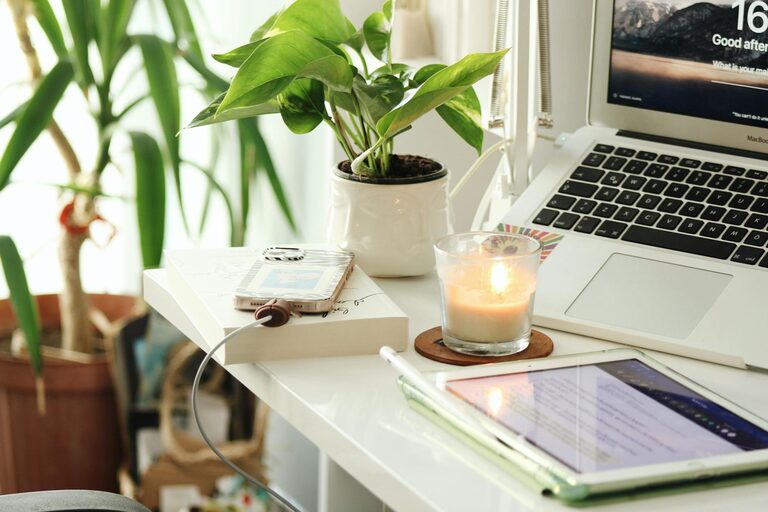
– Decorate with Plants: Indoor plants add colour, improve air quality, and create a relaxing atmosphere.
– Inspiring Artwork: Hang pictures or prints that inspire or calm you.
– Comfort Items: A cosy rug, cushions, or a small lamp can add warmth.
Set Boundaries and Minimise Distractions
A productive home office requires clear boundaries between work and home life.
– Work Hours: Define your working hours and stick to them to maintain balance.
– Signage or Signals: If you share your home, let others know when you’re working and need quiet.
– Turn Off Notifications: Silence non-urgent phone and app notifications to stay focused.
Optimise Lighting
Good lighting helps prevent eye strain and keeps you alert during work hours.
– Natural and Artificial Light: Combine daylight with task lighting such as a desk lamp to reduce shadows.
– Adjust Light Intensity: Use dimmable lights or adjustable blinds to control brightness levels.
Use Technology to Your Advantage
Technology can enhance your workflow but should be set up thoughtfully.
– Reliable Internet: Ensure a strong Wi-Fi connection or wired internet for smooth communication.
– Ergonomic Accessories: Consider wireless keyboards or mouse to reduce strain.
– Power Backup: A surge protector or an uninterruptible power supply (UPS) helps safeguard your equipment.
Incorporate Movement Breaks
Including movement in your routine helps reduce the risks associated with sitting for long periods.
– Stretch Regularly: Set reminders to stand, stretch, or walk every hour.
– Standing Desk: If possible, use a sit-stand desk to alternate between sitting and standing.
Maintain Good Air Quality and Temperature
A comfortable environment supports concentration and well-being.
– Ventilation: Open windows regularly or use an air purifier to keep fresh air circulating.
– Temperature Control: Keep the room at a comfortable temperature, typically between 19-22°C.
Plan for Collaboration and Communication
If your work involves virtual meetings or teamwork, set up your office accordingly.
– Quiet Background: Choose a spot with minimal background noise.
– Professional Appearance: Ensure good lighting and a tidy background for video calls.
– Headset or Microphone: Use quality audio equipment to improve communication clarity.
Final Thoughts
Designing a productive home office is about balancing comfort, organisation, and functionality. By selecting the right location, investing in ergonomic furniture, and minimising distractions, you can create a space where you enjoy working and perform at your best. Remember, small adjustments over time can make a big difference in your daily productivity and overall work satisfaction.
About the Author